Lexmark Ink & Toner Guide (2025)
Understanding Lexmark Ink & Toner
Lexmark is a globally trusted printer brand, widely used in homes, small businesses, corporate offices, and enterprise environments. With decades of experience in printing technology, Lexmark has earned a strong reputation for durability, performance, and professional-quality output. However, even the best printer can underperform if the wrong ink or toner cartridge is used.
Lexmark printers are designed to work with either ink cartridges (for inkjet printers) or toner cartridges (for laser printers). Each printer model is engineered with specific cartridge technology, and using incompatible or low-quality supplies can negatively affect print quality, internal components, and long-term reliability.
In real-world usage, many printer issues—such as streaking, faded text, and frequent error messages—can be traced back to incorrect or poor-quality cartridges rather than the printer itself.
For accurate model-specific information, drivers, and supplies, always refer to Lexmark’s official website:For more printer guides, tools, and test resources, visit printtestpagetool.com.
Why Original Lexmark Cartridges Matter (Expert & User Insight)
Based on professional printer maintenance experience and long-term user feedback, original Lexmark cartridges consistently outperform third-party alternatives. Lexmark designs its cartridges and printers as a complete system, ensuring optimal communication between hardware, firmware, and supplies.
Benefits of using original Lexmark cartridges include:
- Crisp, sharp text and consistent color accuracy
- Reduced risk of paper jams and hardware errors
- Better page yield and predictable performance
- Full compatibility with Lexmark firmware and updates
- Longer overall printer lifespan
Although third-party cartridges may appear cost-effective initially, many users report issues such as cartridge recognition failures, leaking ink, uneven toner distribution, and reduced print quality within a short period of use.
Types of Lexmark Cartridges
Understanding cartridge types helps you choose the right supply for your printing needs.
Ink Cartridges (Inkjet Printers)
Lexmark ink cartridges are commonly used in home and small-office inkjet printers where photo quality and color accuracy are important.
Key characteristics:
- Available in black and tri-color formats
- Ideal for photos, school assignments, and occasional printing
- Smaller capacity compared to toner cartridges
- Require regular use to prevent ink drying
Inkjet printers are best suited for users with moderate printing needs who prioritize color detail over volume.
Toner Cartridges (Laser Printers)
Lexmark toner cartridges are designed for laser printers commonly used in offices and high-volume printing environments.
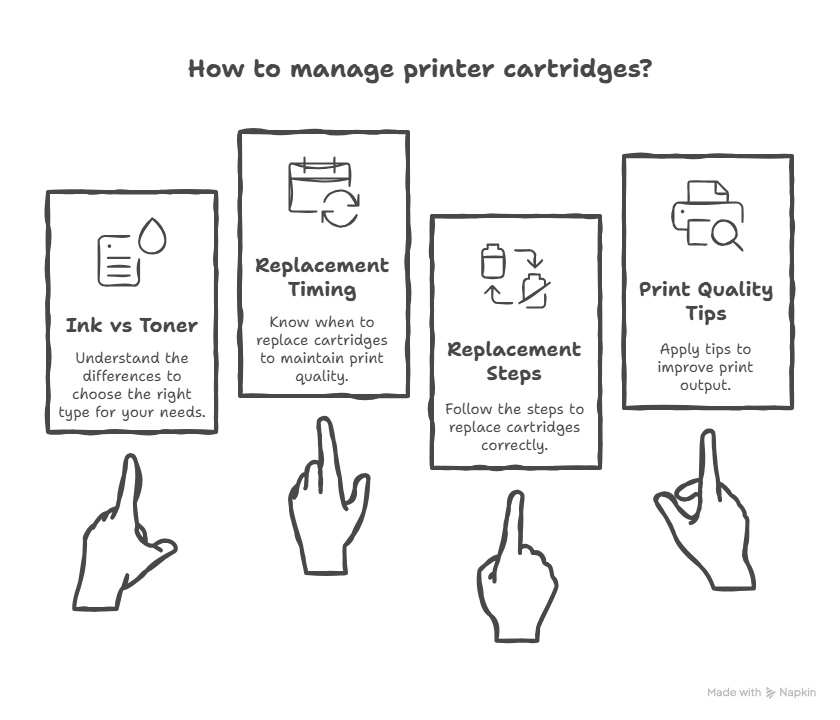
Key characteristics:
- High page yield, suitable for bulk printing
- Available in black and color toner options
- Produce sharp, smudge-resistant text
- More efficient and cost-effective for frequent printing
Laser printers with original Lexmark toner are widely preferred in professional settings due to speed, consistency, and durability.
To identify the correct cartridge for your specific printer model, visit Lexmark’s official supplies page:
How to Check Ink or Toner Levels on Lexmark Printers
Regularly checking ink or toner levels helps prevent unexpected interruptions and protects your printer from damage caused by running completely dry.
Step-by-step method:
- Open the Lexmark printer software installed on your computer
- Select your connected Lexmark printer
- Navigate to Status, Supplies, or Maintenance
- Review the remaining ink or toner percentage
This process works on Windows, macOS, and most mobile-connected Lexmark printers.
Expert Tip: Allowing cartridges to run completely empty can introduce air bubbles in inkjet systems or cause uneven toner flow in laser printers, leading to print defects.

How to Replace Lexmark Ink Cartridges Safely
Replacing ink cartridges correctly ensures smooth operation and prevents common installation errors.
- Power on the printer and open the top cover
- Wait until the cartridge holder moves to the center and stops
- Gently remove the empty cartridge
- Unpack the new cartridge and remove all protective seals
- Insert the cartridge into the correct color-coded slot until it clicks
- Close the cover and allow the printer to align the cartridge
- Print a test page to confirm proper installation
Practical Advice: Avoid touching the copper contacts or ink nozzles, as oils from your fingers can interfere with cartridge detection.
How to Replace Lexmark Toner Cartridges Correctly
Toner replacement is straightforward but should be done carefully to avoid spills or uneven printing.
- Open the front or top access panel of the printer
- Carefully remove the used toner cartridge
- Gently shake the new toner cartridge side-to-side to distribute toner evenly
- Insert the new cartridge firmly into the slot
- Close the panel and wait for the printer to initialize
- Print a test document to verify output quality
Experience-Based Tip: Shaking toner before installation is especially helpful if the cartridge has been stored for an extended period.
Expert Tips for Better Print Quality
- Always use original Lexmark ink or toner cartridges
- Avoid refilling cartridges unless explicitly supported by Lexmark
- Run print head cleaning cycles periodically on inkjet printers
- Use paper types recommended for your specific Lexmark model
- Adjust print settings for photos, graphics, or draft printing as needed
- Keep printer firmware up to date for optimal compatibility
Troubleshooting Common Lexmark Ink & Toner Problems
Faded, Light, or Streaky Prints
Possible causes include low ink or toner levels, clogged print heads, or aging cartridges. Running maintenance cleaning cycles or replacing old cartridges usually resolves this issue.
Toner Smudging or Loose Powder on Paper
This is often caused by improper cartridge seating or damaged paper. Reinstall the toner cartridge and ensure you are using recommended paper types.
Printer Not Recognizing the Cartridge
- Remove and reinstall the cartridge
- Restart the printer
- For advanced error solutions and step-by-step fixes, see this detailed Lexmark printer troubleshooting guide.
- Check for firmware updates using Lexmark software
- If the issue continues, make sure you are using the latest Lexmark printer drivers and software.
Frequently Asked Questions (FAQs)
Which Lexmark cartridge is compatible with my printer model?
The easiest and safest way is to check your exact printer model on Lexmark’s official website. Go to the Supplies section, enter your model number, and you will see a list of compatible original cartridges.
Can I use third-party or refilled cartridges in Lexmark printers?
While some third-party cartridges may work, Lexmark officially recommends using original cartridges only. Non-original supplies can lead to poor print quality, error messages, and may reduce the lifespan of your printer.
How long does Lexmark ink or toner usually last?
Cartridge life depends on your printing volume and document type. Toner cartridges generally last much longer than ink cartridges. Always monitor levels through Lexmark printer software to avoid unexpected outages.
What happens if ink or toner runs completely empty?
Running cartridges completely empty can cause issues such as clogged print heads in inkjet printers or uneven toner distribution in laser printers. Replacing cartridges before they reach zero helps maintain print quality.
Is it safe to clean toner spills at home?
Yes, but it should be done carefully. Turn off the printer, use a soft dry cloth, and avoid inhaling toner dust. Never use hot air or water, as toner particles can melt and spread further.
For a complete comparison and expert recommendations, check out our detailed guide on the best Lexmark printers for home and office use.
Helpful Video Guide (Recommended)
If you prefer a visual walkthrough, this video provides a clear demonstration of cartridge replacement and maintenance: